
Web design · 11 min read
Work of a Web Designer
The work of a web designer isn't just about making things look pretty. It's about solving business problems through visual design, user experience, and strategic thinking. When done properly, web design drives conversions, builds trust, and turns casual browsers into paying customers. Too many business owners think they can slap together a website on a free template and call it done. Then they wonder why their bounce rate is 85% and nobody fills in their contact form. Good web design is the difference between a site that makes you money and one that costs you opportunities every single day.
By Matt Harrison · Published · Updated · Part of the guides behind Web Design & Build
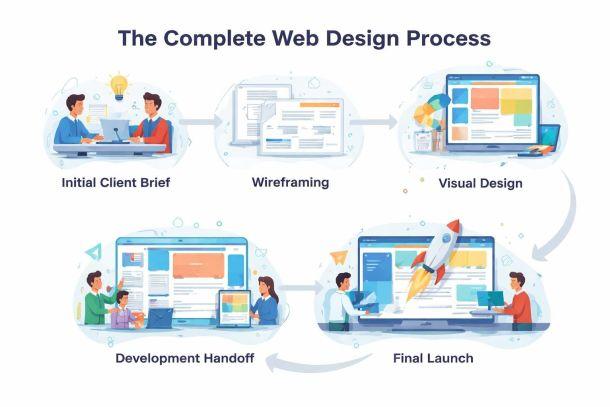
The work of a web designer isn't just about making things look pretty. It's about solving business problems through visual design, user experience, and strategic thinking. When done properly, web design drives conversions, builds trust, and turns casual browsers into paying customers. Too many business owners think they can slap together a website on a free template and call it done. Then they wonder why their bounce rate is 85% and nobody fills in their contact form. Good web design is the difference between a site that makes you money and one that costs you opportunities every single day.
What the Work of a Web Designer Actually Involves
Web designers sit at the intersection of creativity, psychology, and technology. They're responsible for how your website looks, how it feels to use, and whether visitors can actually find what they're looking for without giving up in frustration.
The core responsibilities include:
- Creating visual layouts that guide users toward conversion actions
- Designing responsive interfaces that work on mobile, tablet and desktop
- Building colour schemes and typography systems that reinforce brand identity
- Mapping user journeys from landing page to checkout or enquiry form
- Collaborating with developers to ensure designs can be built effectively
According to professional web designer job descriptions, designers must balance aesthetic appeal with functional usability. That means a homepage might look stunning, but if visitors can't figure out what you actually sell within three seconds, it's failed its primary job.
Visual Design and Brand Translation
One major part of the work of a web designer is translating brand guidelines into digital experiences. You might have a logo and a colour palette, but how does that become a cohesive website that feels professional and trustworthy?
Designers make dozens of micro-decisions:
- How much white space creates breathing room without looking empty
- Which font sizes create clear hierarchy between headings and body text
- Where to place calls-to-action so they're obvious but not obnoxious
- How images and graphics support the message rather than distract from it
This isn't subjective artistry. Every choice should be driven by conversion goals. If you're running a Shopify store, your product pages need clean imagery, obvious 'Add to Cart' buttons, and trust signals like reviews and security badges positioned exactly where shoppers expect them.
The Technical Side: More Than Just Photoshop
Modern web designers need to understand how websites are built, even if they're not writing the code themselves. The days of designing a static mockup in Photoshop and throwing it over the fence to developers are long gone.
Today's work of a web designer includes:
- Responsive design thinking – designing for multiple screen sizes simultaneously
- Component-based design systems – creating reusable buttons, forms, and modules
- Performance optimization – keeping file sizes small so pages load quickly
- Accessibility standards – ensuring designs work for users with disabilities
- Platform constraints – understanding what's possible within WordPress, Shopify, or Squarespace
Industry standards for web designers emphasize the importance of HTML and CSS knowledge. You don't necessarily need to be a developer, but you absolutely need to know whether your beautiful design can actually be built without requiring three months of custom coding.
Tools and Software in Daily Use
The toolbox for the work of a web designer has expanded significantly beyond traditional graphic design software.
| Tool Type | Examples | Primary Use |
|---|---|---|
| Design software | Figma, Adobe XD, Sketch | Creating mockups and prototypes |
| Graphics tools | Photoshop, Illustrator | Image editing and icon creation |
| Prototyping | InVision, Framer | Interactive demos for client review |
| Collaboration | Miro, FigJam | Wireframing and team brainstorming |
| Testing | Hotjar, Crazy Egg | Analyzing user behavior post-launch |
Figma has become the industry standard because it allows real-time collaboration. You can design a page, share the link with your developer, and they can inspect every element's dimensions, colours, and spacing without endless email chains.
User Experience Strategy and Conversion Focus
The smartest web designers think like marketers. They understand that every page has a job to do, whether that's capturing an email address, making a sale, or getting someone to pick up the phone.
Key UX considerations in the work of a web designer:
- Information architecture – organizing content so visitors find what they need
- User flow mapping – planning the path from homepage to conversion
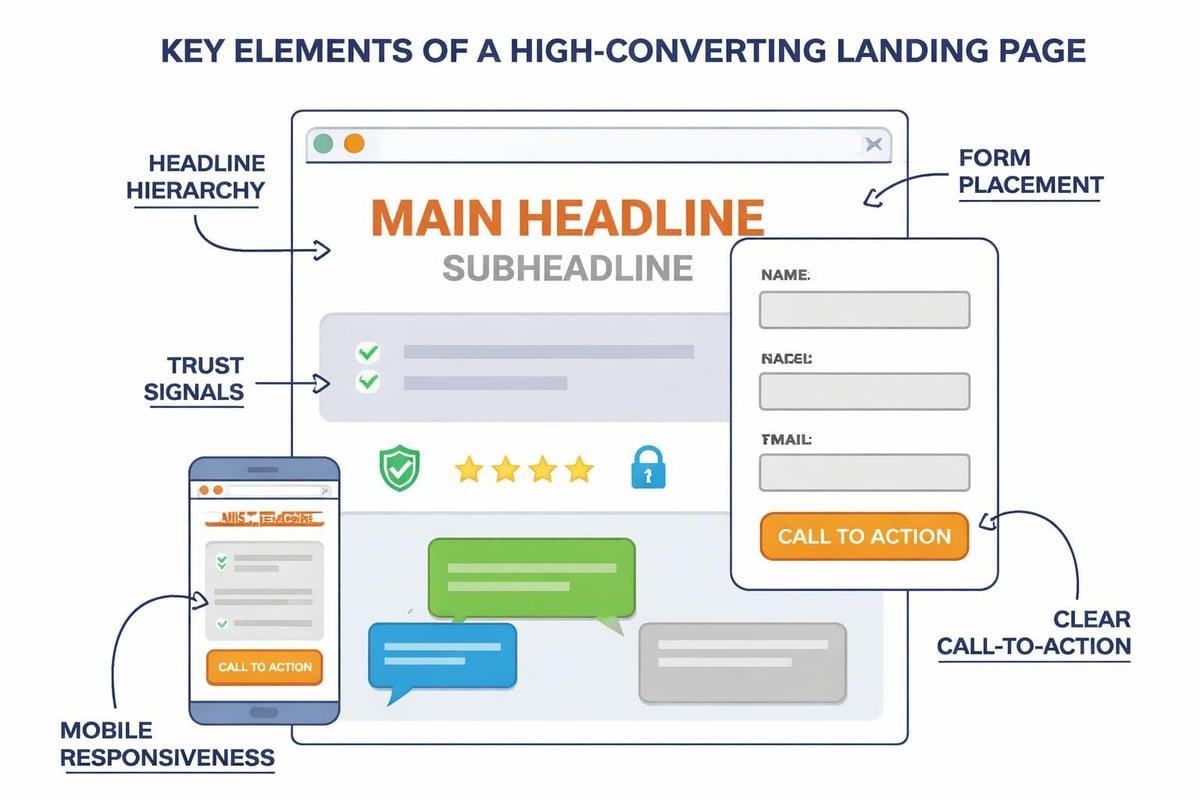
- Form optimization – removing friction from contact and checkout forms
- Mobile-first thinking – designing for the smallest screen first, then scaling up
- Page speed – ensuring designs don't require massive image files
A properly designed product page on Shopify, for instance, should have high-quality images, clear pricing, detailed descriptions, visible stock status, customer reviews, and multiple calls-to-action. Miss any of those elements and your conversion rate drops. As specialists note about web designer responsibilities, understanding user behavior patterns is essential for creating effective designs.
Testing and Iteration
The work of a web designer doesn't stop at launch. Smart designers build in testing and optimization from day one.
This includes:
- A/B testing different button colours and positions
- Heat mapping to see where users actually click
- Session recordings to identify where people get stuck
- Analytics review to spot pages with high bounce rates
- User feedback collection through surveys or live chat data
You might design a homepage hero section with the headline on the left and image on the right. Then testing shows that swapping them increases click-through rate by 23%. That's the difference between design as decoration and design as a business tool.
Working Within Platform Constraints
Most small businesses aren't building custom websites from scratch. They're using WordPress, Shopify, or Squarespace. The work of a web designer on these platforms requires understanding what's possible within each system's limitations.
WordPress offers maximum flexibility but requires more technical knowledge. Designers need to understand how themes work, which plugins affect design, and how page builders like Elementor or Gutenberg shape the design process.
Shopify is brilliant for e-commerce but more restrictive. Designers must work within Shopify's theme structure, understand liquid templating basics, and know which design changes require custom code versus theme settings adjustments.
Squarespace offers beautiful templates but limited customization. Designers focus on working within those templates, customizing colours, fonts, and layouts through built-in controls rather than code.
| Platform | Design Flexibility | Technical Requirements | Best For |
|---|---|---|---|
| WordPress | Very high | Moderate to high | Content-heavy sites, blogs |
| Shopify | Moderate | Low to moderate | E-commerce stores |
| Squarespace | Low to moderate | Very low | Portfolios, small business sites |
Understanding these constraints early prevents designing something that can't actually be built within budget. According to professional job descriptions, adaptability across different platforms is increasingly important for web designers.
Client Communication and Requirements Gathering
A massive part of the work of a web designer that nobody talks about enough is managing client expectations and extracting useful information from people who often don't know what they want.
Clients will say things like "make it pop" or "I want it modern but not too modern." Your job is translating vague preferences into concrete design decisions backed by conversion data and industry best practices.
The Discovery Process
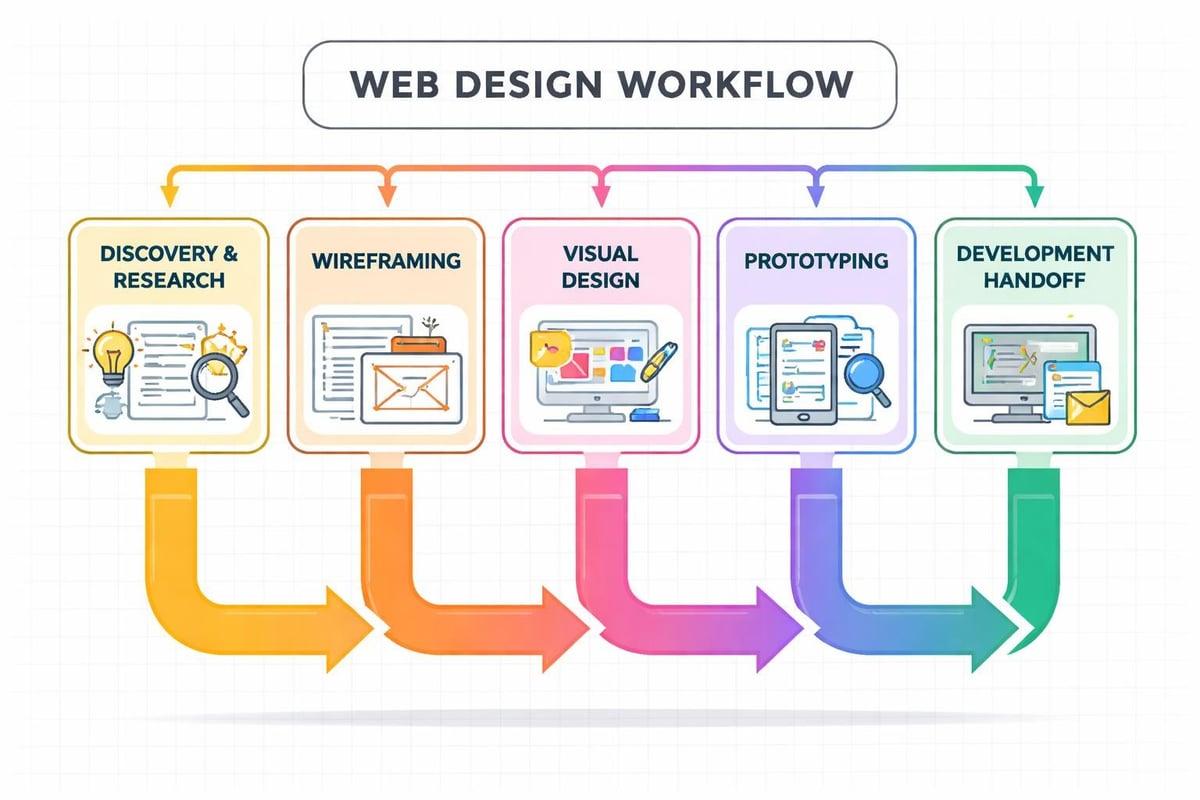
Before any design work begins, good designers run a proper discovery phase:
- Business goals workshop – what are you actually trying to achieve?
- Target audience definition – who are we designing for?
- Competitor analysis – what's working in your industry?
- Content audit – what material do we have to work with?
- Technical requirements – what integrations and features are needed?
This process prevents the nightmare scenario where you design three rounds of mockups, then the client mentions they need to integrate with their ancient CRM system that requires a specific form structure you've now designed around.
The Business Impact of Proper Web Design
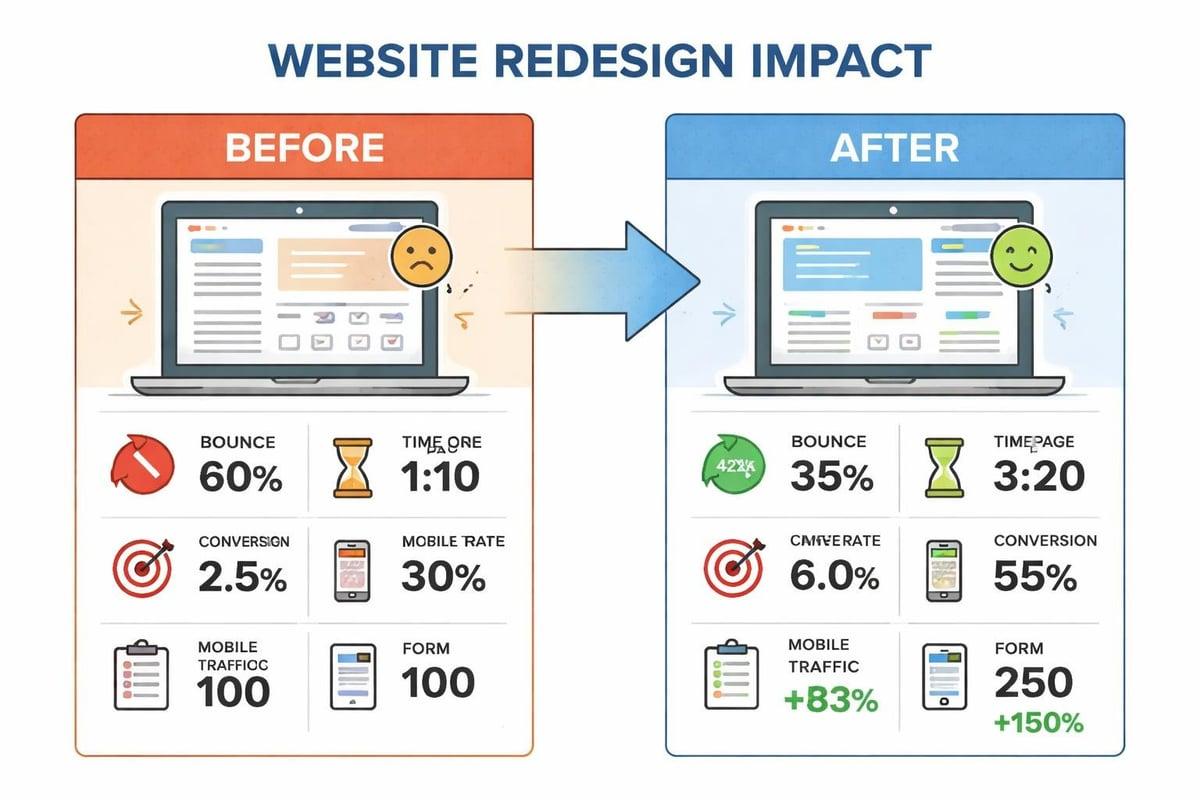
Here's what actually matters: does the work of a web designer generate measurable business results? If your new website doesn't increase enquiries, improve conversion rates, or reduce bounce rates, something's gone wrong.
Measurable outcomes from effective web design:
- Lower bounce rates because users immediately understand what you offer
- Higher conversion rates from optimized form placement and reduced friction
- Better SEO performance from proper heading structure and fast load times
- Increased trust from professional, modern visual presentation
- More mobile sales from responsive, mobile-first design thinking
A Birmingham-based manufacturing company might get 5,000 monthly visitors but only 15 enquiries. Redesign the site with clear service descriptions, case studies above the fold, and a simplified contact form, and that could jump to 60 enquiries from the same traffic. That's the commercial impact of proper design work.
Skills Required for Modern Web Design Work
The work of a web designer in 2026 requires a broader skill set than ever before. You're not just a visual designer anymore. You need elements of UX design, basic development knowledge, marketing understanding, and project management capability.
Essential technical skills:
- Proficiency in Figma or Adobe XD for mockups
- Understanding of HTML and CSS fundamentals
- Responsive design principles and mobile optimization
- Basic JavaScript knowledge for interaction design
- Familiarity with content management systems
Essential soft skills:
- Client communication and expectation management
- Problem-solving and creative thinking under constraints
- Time management across multiple projects
- Collaboration with developers, marketers, and content creators
- Ability to explain design decisions in business terms
Professional requirements for web designers increasingly emphasize the combination of technical ability and business acumen. You need to understand both how to create beautiful layouts and why those layouts will drive commercial results.
Continuous Learning and Adaptation
Web design trends, tools, and best practices evolve constantly. What worked brilliantly in 2024 might look dated by 2026. The work of a web designer includes staying current with:
- Design trends (without chasing every fad)
- Accessibility standards and legal requirements
- New platform features in WordPress, Shopify, etc.
- Performance optimization techniques
- AI tools that speed up repetitive design tasks
Smart designers are now using AI tools to generate initial layout concepts, create placeholder content, or resize images automatically. That doesn't replace creativity, but it eliminates hours of tedious work.
Real-World Application: E-commerce Design
Let's talk specifics. If you're designing a Shopify store for a business selling outdoor equipment, the work of a web designer involves multiple strategic layers.
Homepage priorities:
- Hero section showing products in use (aspirational lifestyle imagery)
- Category navigation that makes browsing intuitive
- Featured products or bestsellers with clear pricing
- Trust signals (customer reviews, delivery information, returns policy)
- Email capture offer for first-time visitors
Product page essentials:
- Multiple high-quality images with zoom functionality
- Size guides and specification tables
- Customer reviews prominently displayed
- Stock availability and delivery timeframes
- Cross-sell suggestions for related items
- Clear, large 'Add to Basket' button in consistent position
Checkout optimization:
- Progress indicator showing checkout steps
- Guest checkout option (don't force account creation)
- Multiple payment methods including digital wallets
- Delivery options with clear pricing
- Security badges and trust signals
- Mobile-optimized form fields
Each of these decisions affects conversion rate. Testing shows that adding delivery timeframes to product pages can increase conversion by 8-12%. That's money left on the table through poor design choices.
Collaboration With Developers and Marketers
The work of a web designer rarely happens in isolation. You're part of a broader team, even if that team is just you wearing multiple hats.
Working with developers:
Design handoff needs to be precise. That means providing:
- Exact measurements and spacing
- Colour codes (hex, RGB, HSL)
- Font specifications with fallbacks
- Interaction notes (what happens on hover, click, etc.)
- Responsive breakpoint specifications
Working with marketers:
Your designs need to support marketing campaigns:
- Landing pages optimized for specific ad campaigns
- Email templates that render correctly across clients
- Social media graphics sized for each platform
- Conversion tracking implementation
- A/B testing capabilities built into page designs
When everyone understands their role and how they connect, projects run smoother and results improve. Poor collaboration leads to beautiful designs that can't be built, or technically perfect sites that don't convert.
The Commercial Reality of Web Design
Here's the uncomfortable truth: lots of web designers create beautiful work that doesn't make clients any money. The work of a web designer should be judged on business outcomes, not Dribbble likes.
Questions every design should answer:
- Does this increase conversion rate?
- Does this reduce bounce rate?
- Does this make the brand more trustworthy?
- Does this make purchasing easier?
- Does this load fast enough to keep visitors?
If you can't connect design decisions to business metrics, you're decorating, not designing. A gradient background might look stunning, but if it slows page load time by 1.2 seconds, it's costing the business sales.
That's why the best web designers think like business consultants. They ask about revenue goals, average order values, customer lifetime value, and conversion funnels. Then they design solutions that move those numbers in the right direction.
The work of a web designer has evolved from pure aesthetics to strategic business tool. It requires technical skills, creative thinking, commercial awareness, and the ability to translate client needs into designs that actually convert. Whether you're building on WordPress, Shopify, or Squarespace, the goal remains the same: create experiences that turn visitors into customers and deliver measurable ROI.
Understanding the work of a web designer means recognizing it's equal parts creative skill and commercial strategy. If you need a website that doesn't just look professional but actually drives enquiries and sales, Marketing XP combines web design expertise with conversion optimization, particularly for Shopify stores where every design decision is tested against real revenue impact. Let's build you something that makes money, not just looks good.
Keep reading
More on web design

Marketing Designers
2026 is a turning point for marketing designers. The industry is more tech-driven, competitive, and complex than ever. Standing out now takes more than a great eye for colour or layout.
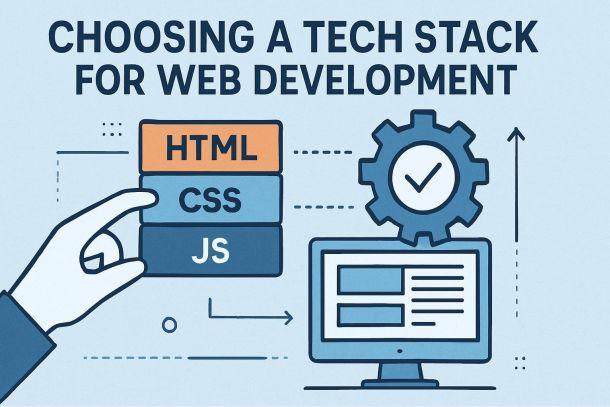
Choosing a Tech Stack for Web Development
The difference between project success and failure in 2026 often comes down to your core technology choices. As web development moves faster than ever, picking the right tools shapes how your site performs, scales, and how much it costs you in the long run.

Website Design Strategy
Imagine investing thousands in a stunning website, only to watch it flop in 2026’s crowded digital world. The truth is, without a solid website design strategy, even the most beautiful sites can fail to deliver results.
Want this done rather than read?
Tell me what you sell and what isn't working. The audit that starts every engagement is free, and you keep the roadmap either way.